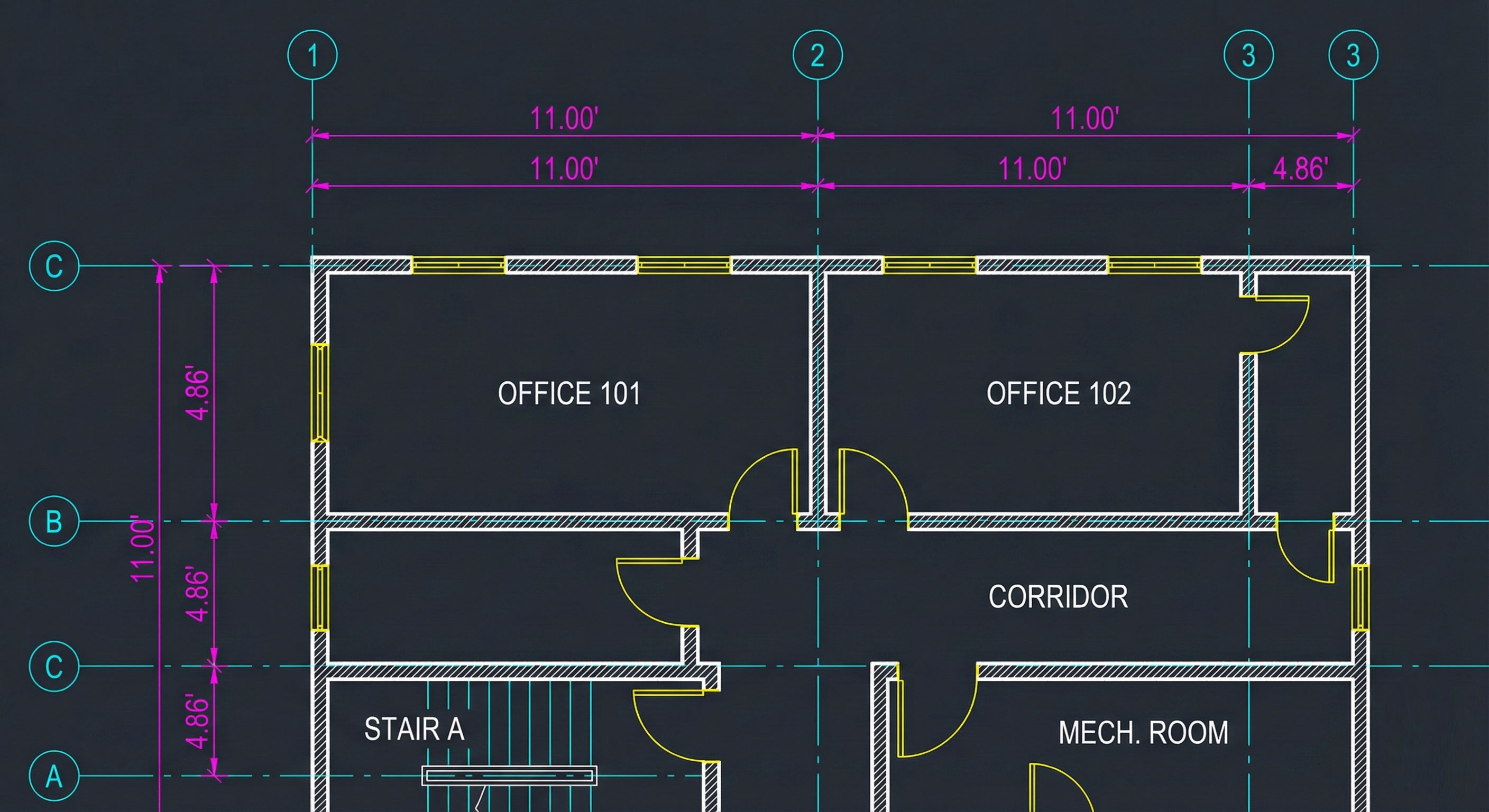
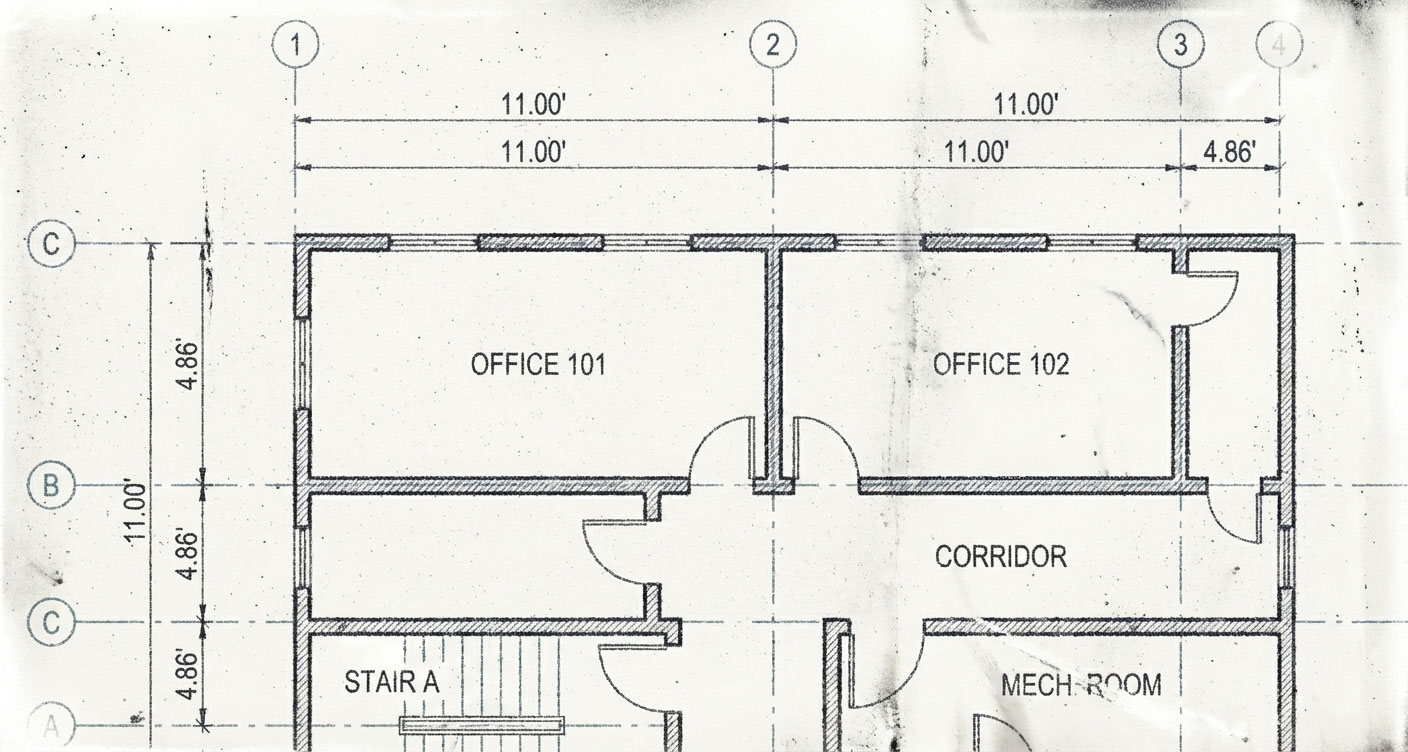
Input: Raster
Output: Vector
Drag the slider to compare original scan vs. Bees AI vectorized result.
Drag the slider to compare original scan vs. Bees AI vectorized result.
Pick the model that matches your workflow and output quality requirements.
Request Access
CAD primitive recognition (line, rectangle, circle) for cleaner editable output.
Request Access
Advanced primitive recognition with high-precision structural reconstruction.
| Capability | Lite | Pro | Ultra |
|---|---|---|---|
| Vectorization | Fast | Enhanced | Deep Comprehension |
| Geometry Output | Primarily polylines (trace-based) | CAD primitives (line / rectangle / circle) | CAD primitives + higher-precision reconstruction |
| OCR | Basic | Enhanced | Advanced |
| Layer Segmentation | Standard | Intelligent | High Precision |
| Access | Open Now | Request Access | Request Access |
From legacy blueprints to modern CAD files. Convert PDF, JPG, PNG, TIFF, and more to editable DXF/DWG format.
Convert PDF floor plans and architectural drawings to editable DXF or DWG files. Perfect for legacy document digitization.
Transform photographed blueprints and scanned drawings into precise DXF or DWG vector files for CAD editing.
Convert old paper blueprints scanned as TIFF or BMP into modern, layered CAD files.
Convert web-based SVG graphics and diagrams to industry-standard DXF or DWG CAD formats for engineering workflows.
Convert site photos and field sketches into accurate CAD drawings for renovation projects.
Batch convert entire archives of historical drawings to searchable, editable CAD formats.
Unlike simple tracing tools, our AI understands architectural semantics and delivers production-ready CAD files with automatic layer separation.
Our AI doesn't just trace pixels — it understands what it sees. Bees automatically separates your raster images into organized CAD layers:
Recognizes room names, dimensions, and annotations. Converts them into editable CAD text objects — not polylines.
No software installation. No dongles. No expensive plotter hardware. Process blueprints directly from Chrome, Edge, or Firefox.
| Solution | Layer Support | OCR | Deployment |
|---|---|---|---|
| Traditional Tracing | None | No | Desktop |
| Raster-to-Vector Tools | None | Basic | Complex & Poor Quality |
| Bees Raster2CAD | Full Auto | AI OCR | Cloud / Browser |
Convert your raster images to production-ready CAD files in 3 simple steps. No software installation required.
Drag & drop your PDF, JPG, PNG, SVG, TIFF, or BMP file. Support for files up to 100MB.
Our AI engine analyzes the image, detects elements, separates layers, and performs OCR automatically.
Get your layered CAD file ready for AutoCAD, Revit, BricsCAD, or any other CAD software.
Bees Raster2CAD supports all common raster formats including PDF, JPG/JPEG, PNG, SVG, TIFF, BMP, and GIF. Our AI engine is optimized for architectural drawings, floor plans, and engineering blueprints.
Unlike basic tracing tools that output "dumb" polylines, Bees AI understands architectural semantics. It automatically separates walls, text, dimensions, furniture, and other elements into organized CAD layers, saving hours of manual cleanup work.
No. Bees Raster2CAD is 100% browser-based. You can process your files directly from Chrome, Edge, Firefox, or Safari without installing any plugins or desktop applications.
Our DXF and DWG output files are compatible with all major CAD software including AutoCAD, Revit, BricsCAD, DraftSight, LibreCAD, ZWCAD, and more. The layered structure is preserved for seamless import.
Yes. All uploads are encrypted and processed in isolated cloud environments. Files are automatically deleted after processing. We never store or share your drawings.
Join architects and engineers who save hours on blueprint digitization with AI-powered CAD conversion.
Get Free Early AccessAlso available via REST API for seamless integration into your existing workflows.